QiltQilt Private beta opens in October · iPhone first

Every schedule your family lives by, watched for you.

School, sports, and work calendars sync themselves. When practice moves or a lesson gets cancelled, the right parent knows in seconds.
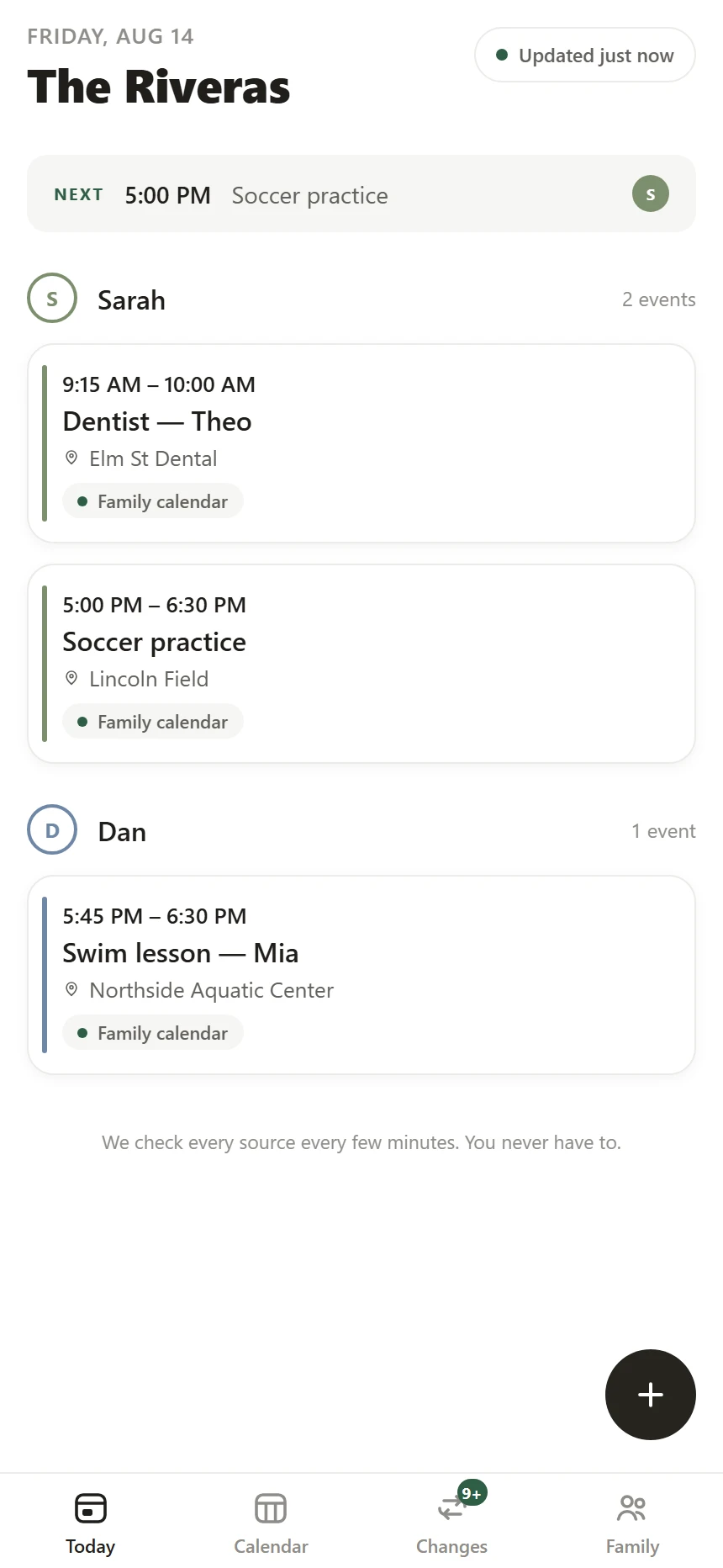
Qilt Today — Sarah and Dan each get their own lane, with the next event pinned at the topQilt Today — Sarah and Dan each get their own lane, with the next event pinned at the top
✓Everyone's day at a glanceOpen the app and see what's next for each person.
✓Changes come firstA moved practice beats 40 unchanged events.
✓Every event shows its sourceTap anything to see exactly where it came from.
✓Nothing to maintainYou never type an event in by hand.
Stop checking five calendars. This one checks them for you.

The school publishes a feed. The league edits theirs without telling anyone. Your partner's trip is buried in a work calendar. Qilt pulls them all into one place and watches them around the clock, so a quiet edit becomes a message to the right parent.

How it works

Set it up once, in about five minutes.

STEP 01

Connect what you have

Paste a school or team calendar link, or connect Google. Your first calendar is live in a couple of minutes.

STEP 02

We watch every change

Every source gets checked every few minutes, and each version is compared to the last. Nothing new, moved, or cancelled slips by.

STEP 03

The right parent finds out

Each person picks push, text, or email. Quiet hours keep nights calm, and urgent changes still break through.

Setting up

Three screens, then it runs itself.

Paste one link and Qilt takes it from there.

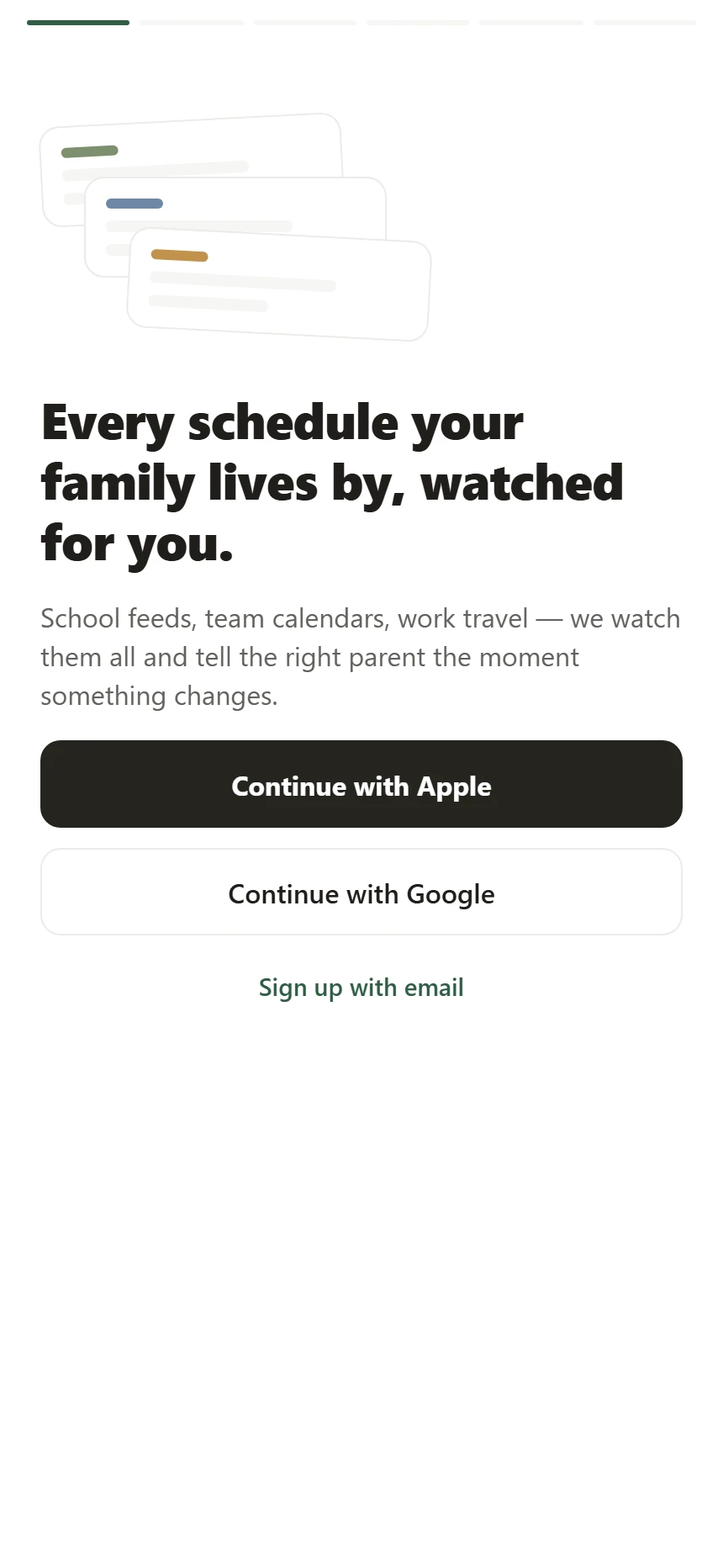
The first screen in Qilt — sign in with Apple, Google, or emailThe first screen in Qilt — sign in with Apple, Google, or email
1Sign inApple, Google, or an email address. Kids never need accounts.
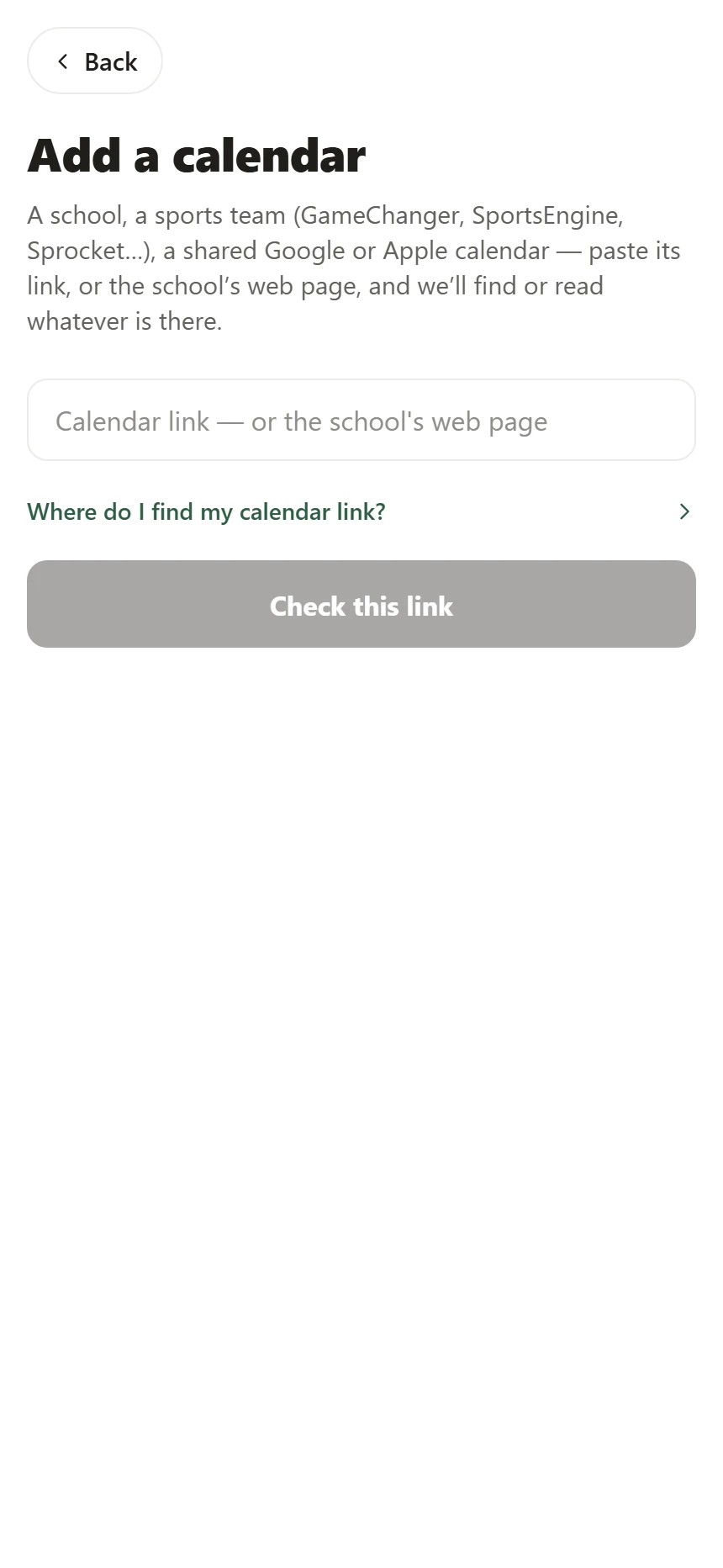
Add a calendar in Qilt — one box that accepts a calendar link or the school web page it sits onAdd a calendar in Qilt — one box that accepts a calendar link or the school web page it sits on
2Paste one linkA calendar link works. So does the school's web page — we find the calendar behind it.
The Qilt Today screen after setup, with each family member in their own laneThe Qilt Today screen after setup, with each family member in their own lane
3That's itEveryone's day shows up in one place, and it stays current on its own.
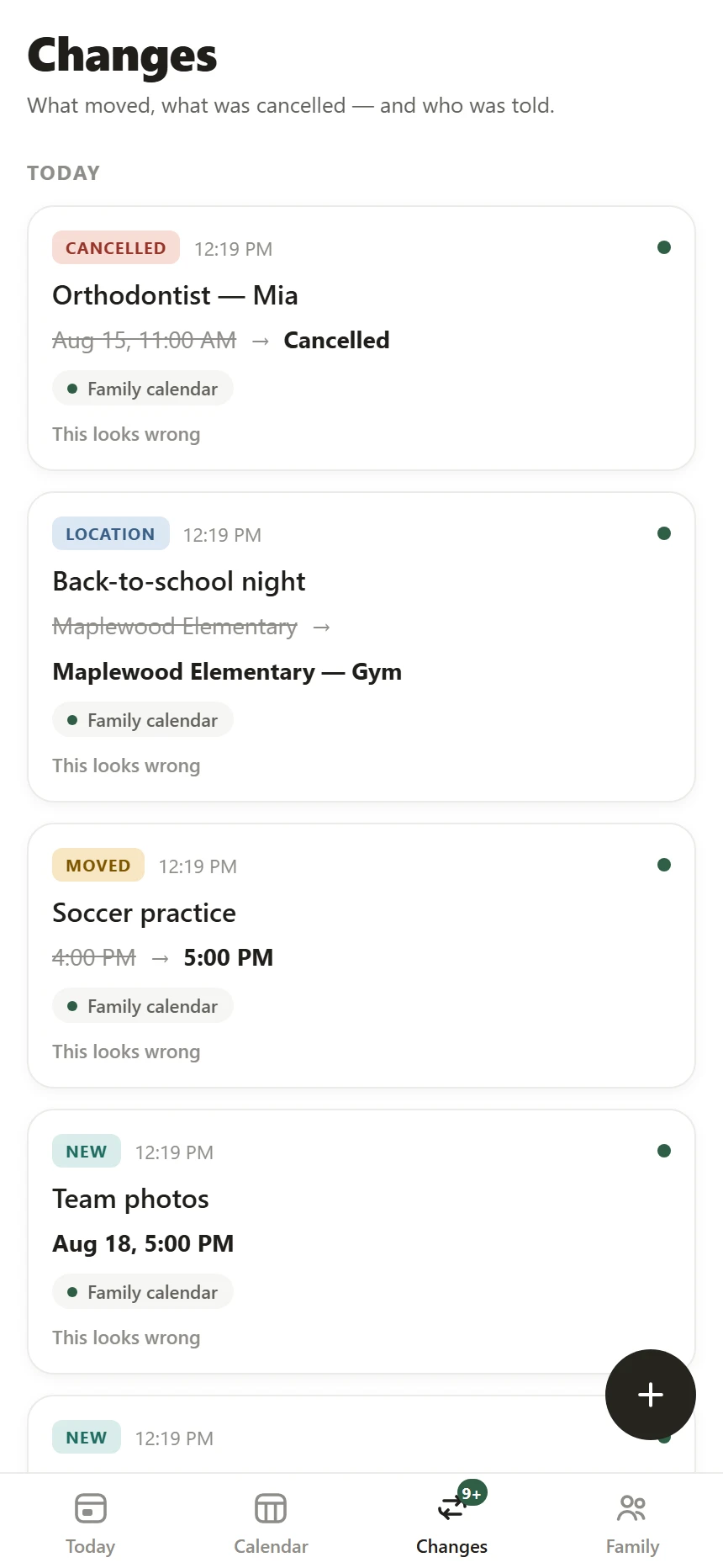
The Changes feed — a moved practice showing 4:00 PM struck through and 5:00 PM in bold, with its sourceThe Changes feed — a moved practice showing 4:00 PM struck through and 5:00 PM in bold, with its source

The changes feed

A moved practice matters more than 40 unchanged events.

Each change reads in one line: the old time crossed out, the new one in bold. Under it sits a receipt showing who was told, on which channel, and when.

Moved Soccer practice  Tue 4:00 PM → Tue 5:00 PM

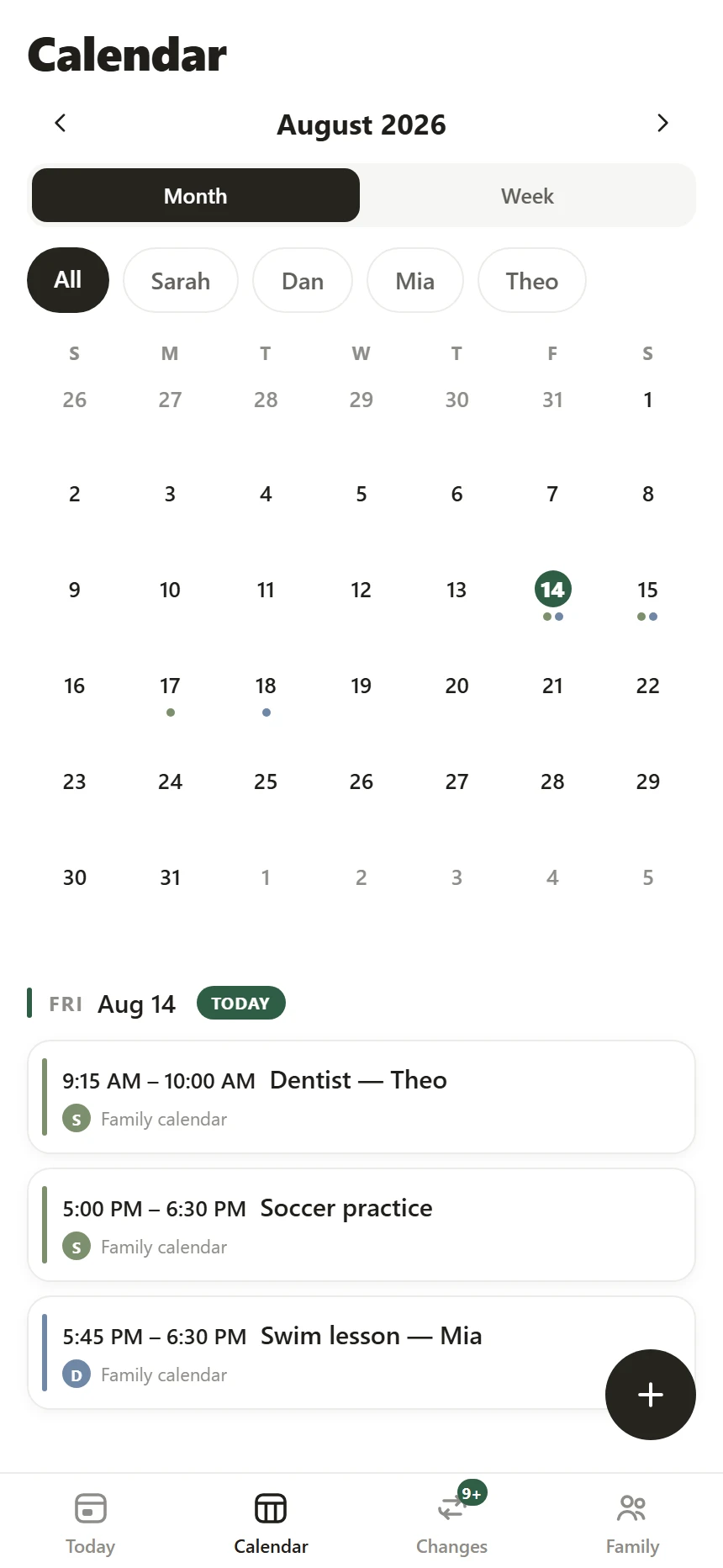
Week view — a filter chip per family member, seven days as one scroll, and a cancelled orthodontist appointment still visible with a strikethroughWeek view — a filter chip per family member, seven days as one scroll, and a cancelled orthodontist appointment still visible with a strikethrough

The week, at a glance

Filter to one person. See their whole week.

The whole week is one smooth scroll. Tap a name to see just that person's schedule, or leave it on All. Cancelled events stay put with a line through them, so nobody drives to a practice that isn't happening.

Sources

If the school publishes it, we can watch it.

A feed link, a shared Google or Apple calendar, GameChanger, SportsEngine, TeamSnap, Sprocket — or just the school's web page.

Some schools only post a PDF. Qilt can read it with AI and turn it into suggested events — you review and approve every one before it lands on the calendar.

Add a calendar in Qilt: a school web page pasted in, with 'Read it with AI' offered because the site only publishes a PDF calendar Connect your first calendar: GameChanger, SportsEngine, Sprocket Sports, TeamSnap, Google Calendar, Apple iCloud, or a school website

Screens from the beta build, running today.

Notifications

One message, to the parent who needs it.

A message looks like this: "Moved: Maya's soccer — Thu now 5:00 PM (was 4:00)." The times come straight from the calendar, so they are always exactly right.

Changes settle for a few minutes before anything goes out, so a calendar that re-publishes itself won't blow up your phone. Quiet hours hold overnight, and a cancellation inside the next 24 hours still breaks through.

Push, text, and email delivery are built and tested. They turn on with the private beta in October.

We only publish real screenshots, and lock-screen notifications can't be captured until the app is on real iPhones — that happens in the beta. Until then, the Changes feed above shows the receipt every message leaves.

Why you can trust it

AI never touches your dates.

Every date, time, and location in Qilt comes from your actual calendars, through code we test heavily. AI can help read a messy PDF, but you approve its suggestions before anything is saved.

◎See where everything came from

Tap any event to see its source. Changes keep their history, and notifications leave receipts you can check later.

◔Kids never need accounts

A kid's profile is a first name, a birth year, and a color. That's the whole thing.

⇲Your data stays yours

Export everything whenever you like. Delete your family and we erase it for good.

Where we are

Built in the open, one stage at a time.

Windows are months because software dates slip. The marker moves when the work does.

Done
Engine proven
Shipped

The part that catches changes is built and tested against real school and league calendars.

We are here
Founder alpha
Through September

We're running it on our own families' calendars every day and sanding off the rough edges.

Next
Private beta
October – mid-November

A small group of families on iPhone, city by city, with notifications on.

Later
Open beta
Mid-November – December

Everyone on the waitlist can join. Google and Apple calendar sync included.

Later
Version 1.0
January 2027

Public launch on the App Store.

Where people are waiting

Beta opens city by city.

Every school district publishes its calendars a little differently, so we open the beta where the most families are waiting. This list comes straight from the waitlist.

No city has hit 5 signups yet. Be the first from yours.

A city shows up once five people have joined from it. We save the city each signup comes from — never the IP address.

Be first through the door.

Qilt enters private beta on iPhone in October. Leave your email and you'll get exactly one message — when your invite is ready.

No newsletter, no spam. · Privacy